Once you have completed your Legacy, the Dashboard is where you will be taken and whenever you log into Legacy Share.
Here you can access your completed Legacy. If you want to view your summary or update your Legacy, you can by clicking the elipses menu on your created Legacy.
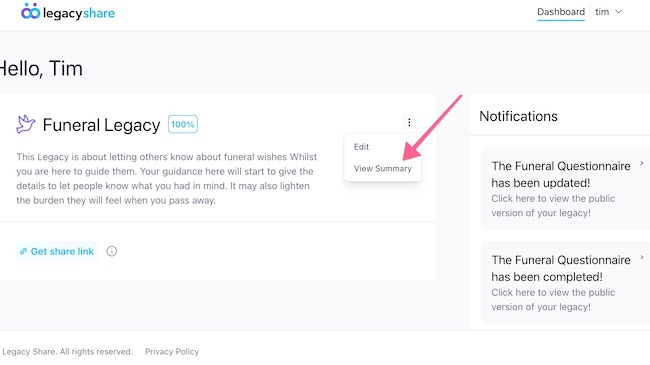
This will present you options to 'View Summary' and 'Edit'. Choose the Edit option and you will be taken to the start of the Legacy Share form.
You can the navigate through each section of your Legacy and update any of your details and preferences.
Once you have finished and reached the Summary page, make sure to click the Continue button in the bottom right, this will prompt you to save your Legacy, once you have saved, your Legacy will have been successfully update
|
Rate this Topic:
|
|||
|
