How to update your personal details
Updated: 19/07/2023
Article #: 35
You can update your personal details from Your Profile page.
From the top right, you can access your profile details from the top right menu (next to your name).
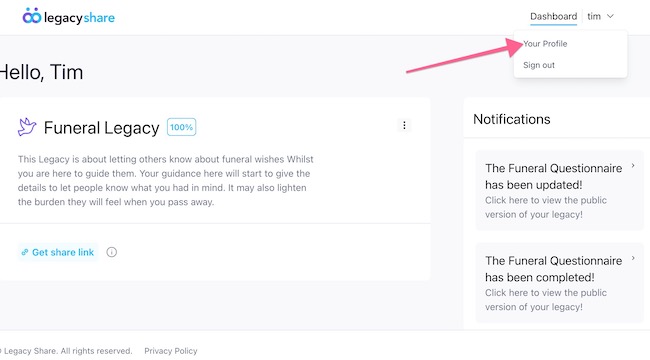
From Your Profile you can update your;
- Name
- Password
- Turn on 2-factor authentication
- Log out of all other sessions of Legacy Share
- Delete account
Some elements such as Name and Email will require you to 'save', for the updates to take affect.
|
Rate this Topic:
|
|||
|
